Created by a trainer, for trainers

Every client gets a real periodised program. You get your evenings back.

You didn't become a coach to spend Sunday nights in a spreadsheet. Set a client's weekly split once — Elite Trainer Architect handles the load curve, the deload weeks, the fatigue math on every set, across 12 periodisation models from straightforward Linear to Smolov-style specialisation. Built by a working coach who was tired of doing it by hand, for every coach who still is. Every program is still designed by you, around your client's own goals — the engine builds it, you decide what it builds. It lands directly on their phone, professional and ready to go, and runs the exact same way on any device, for the same cost.

Free trial: full features, 2 clients, no card, live in 30 seconds.

The Load & Deload Progression chart, auto-generated per program, shown on a tablet.
Why this isn't just another program builder

Every other platform in this category is a builder. This one is a generator.

The tools most trainers compare against give you a blank canvas and a set of drag-and-drop pieces. You still do the actual programming — picking every set, every rep, every week's load, by hand, one client at a time. Elite Trainer Architect does that math for you. That's not a marketing line, it's the actual difference in what happens when you click "Generate."

Manual builders
  • You pick every set, rep, and load yourself — every week, every client, by hand
  • Progressions are copy-paste-and-adjust, one week at a time
  • Fatigue across a session is a guess, not a calculation
  • A new client means starting from a blank page again
Elite Trainer Architect
  • Set the weekly split once — the engine calculates every set, rep, and load automatically
  • 12 real periodisation models, each with its own load curve and deload placement, generated in one click
  • Genuine per-set fatigue modelling — rest time, decay rate, and rep range feed an actual curve
  • Save any client's full setup as a Template and reuse it in one click for the next one
12periodisation models
9training categories, one engine
0programs you build by hand

And when you genuinely don't want the algorithm deciding a client's load — a short assessment block, a return-to-training week, or a client you're deliberately coaching that side by feel — one of those 12 models is Flat / Manual Periodisation. Every weight-based lift holds exactly at today's numbers, week after week, while push-ups, planks, timed holds, and cardio keep progressing toward their own goal in the background, same as any other mode. Hand-manage the lifting, let the engine keep running everything else — you're never choosing between the two.

The workflow

Four steps, every client, every time

Not a suggestion — this is the actual order the app is built around.

01

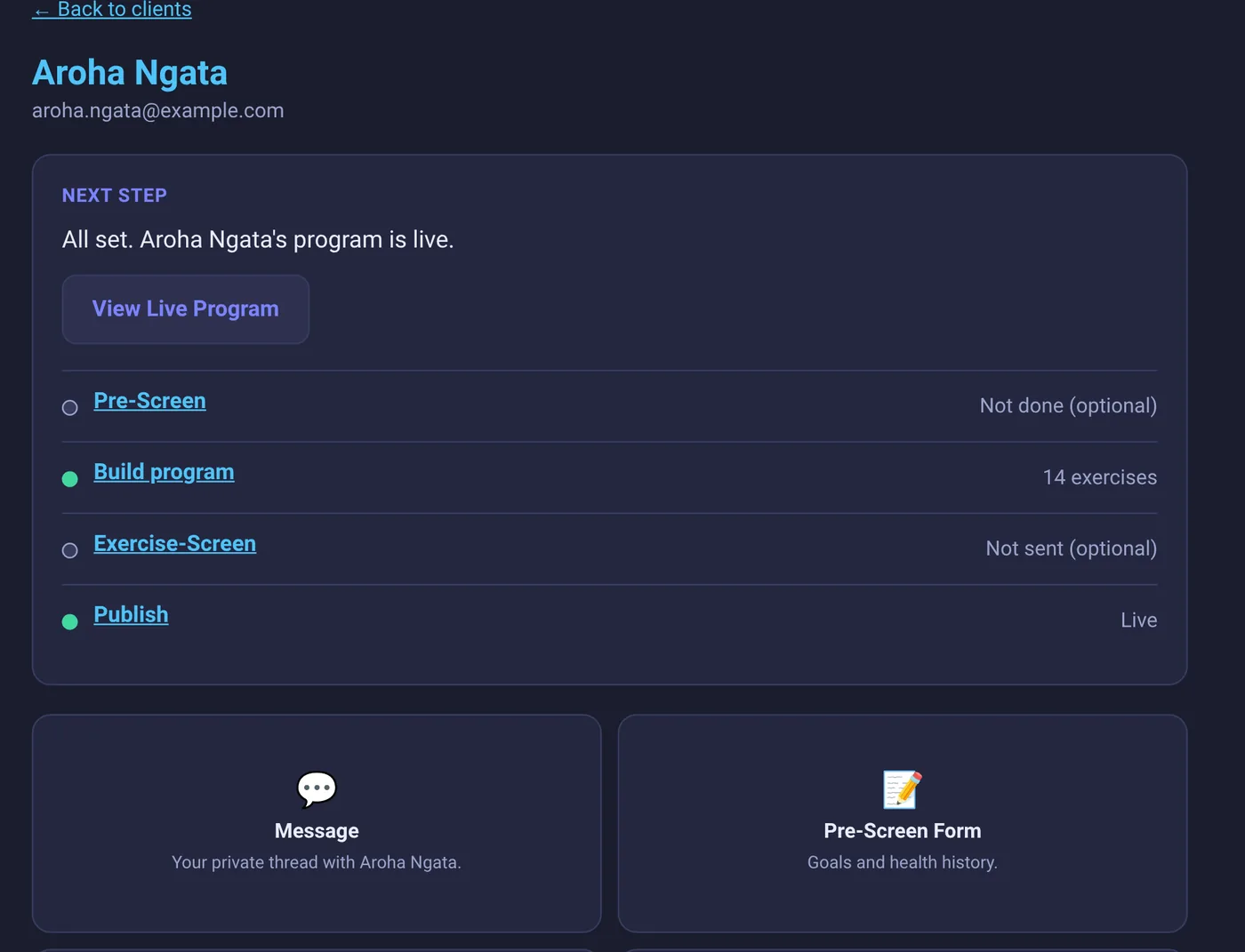
Pre-Screen

Your client tells you what they've got to work with — gym membership or home equipment, goals, a goal end date, any upcoming events worth training around, and injuries or limitations — before you design a single set. Front and side posture photos are optional add-ons, whether they fill it in themselves or you go through it together in person.

02

You design the program

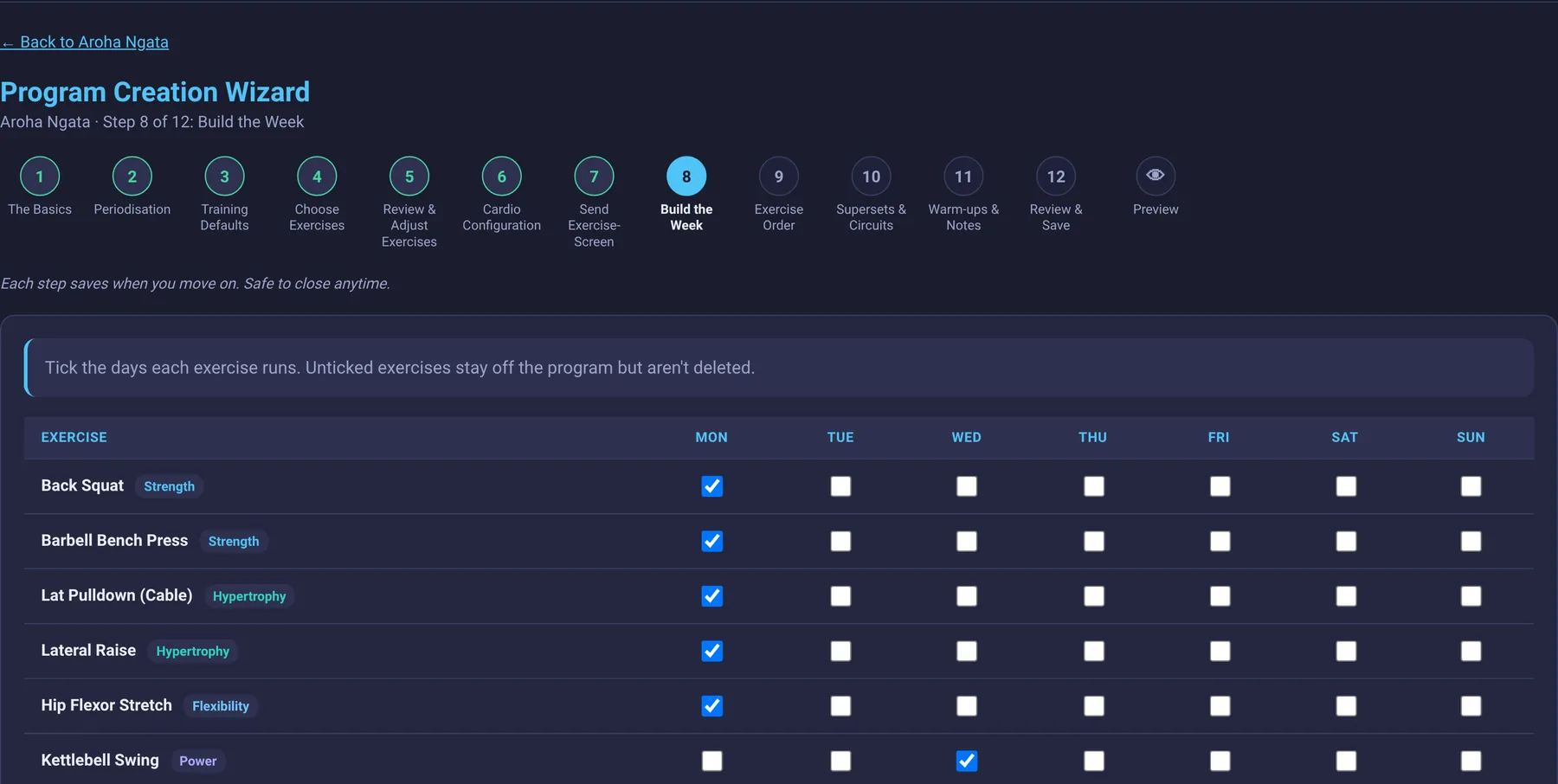
Pick a periodisation model, lay out the weekly split, add the exercises. The slot system lets the same category — Strength, say — mean something different on Monday than it does on Thursday. Already got a setup that works? Save it as a Template once and reuse it for the next client starting from a similar place.

03

Exercise-Screen

Send it whenever you're actually ready — it's a deliberate step, not automatic, so a client never lands on a form you're still building. They answer with real numbers: weight and reps for a lift, hold time for a plank, pace and machine settings for cardio. Working with them in person instead? Skip the send and fill it in together on one device.

04

Generate

Review what came back, apply it in one click, and preview a full periodised program from where they actually are, not a guess. Nothing's saved or sent until you say so — look it over, tweak anything, and Publish only when you're ready.

What actually lands on their phone

Four training types, one day, zero manual math

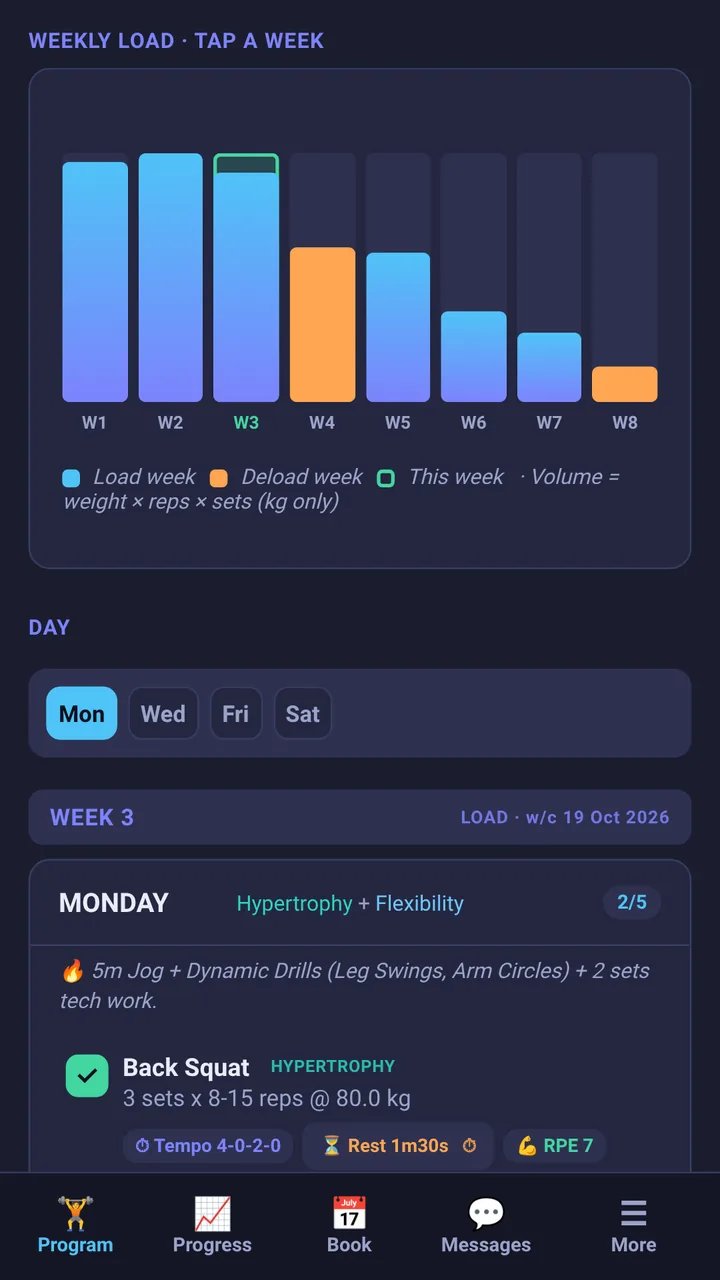
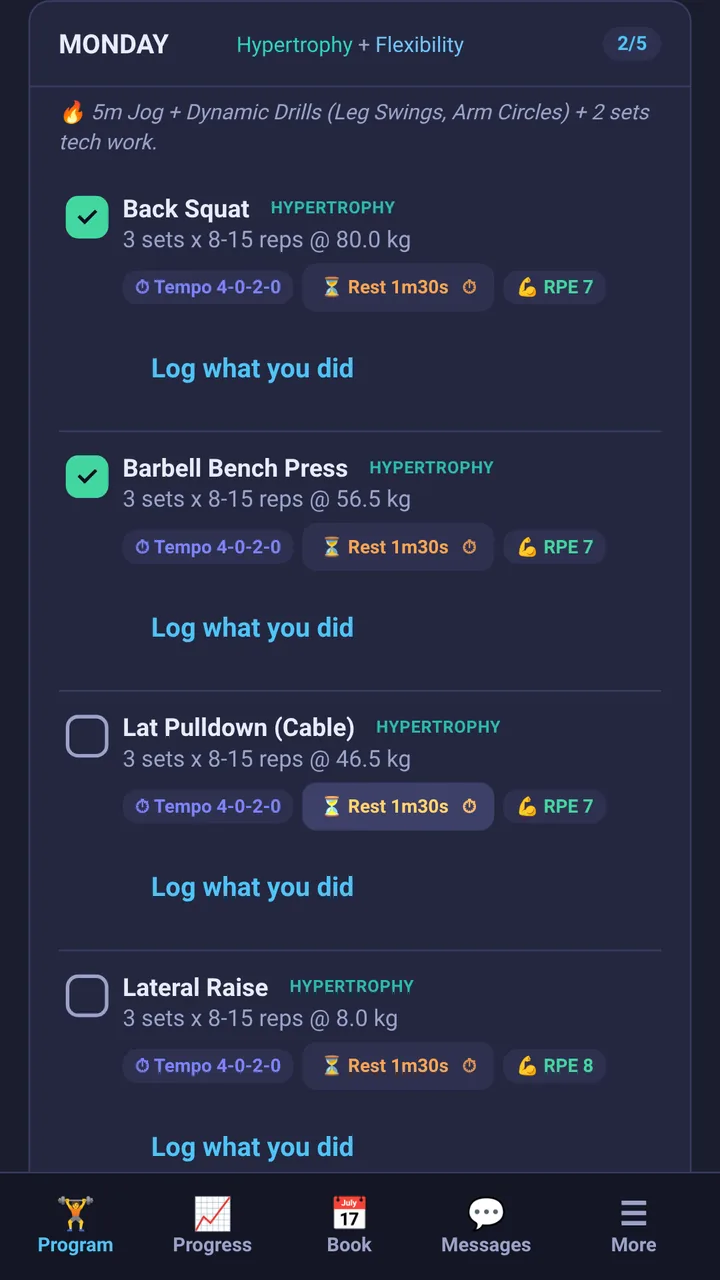
A real generated program, not a mockup — a cardio interval block, a power lift, and two full supersets, each with its own tempo, rest, and RPE, laid out automatically from one weekly split. The load/deload chart up top tracks the whole block and doubles as the week selector.

  • 📈
    Auto-generated load curve — ten weeks, deload placement included, no spreadsheet.
  • 🔗
    Supersets that actually look linked — paired exercises sit side by side, connected, not just stacked.
  • ⏱️
    Tempo, rest, and RPE on every exercise — set once per category, applied everywhere it belongs.
A real Elite Trainer Architect program held on a phone, showing the load/deload chart and Monday's session with cardio intervals, a power lift, and two supersets.
Coaches how you actually coach

Built for the gym floor and the other side of the country, on the same client record

Most coaching platforms pick a lane — built for remote coaching, or built for managing people in front of you. This one runs both, for the same client, with nothing to duplicate or reconcile between them.

🤝

Standing right there with them

Skip the Exercise-Screen send entirely and fill it in together on one device while they perform each movement in front of you. Tick off their actual session and log the real numbers as they train — no handing a phone back and forth mid-set.

🌐

Training from anywhere

Send the Exercise-Screen and they answer it on their own time, from any device, any timezone. They tick off their own program and log their own numbers as they go — every exercise carries its demo video and your written notes, so your cues travel with the program even when you're not in the room.

Programming

Every modality, one engine

Strength and conditioning in the same weekly split, each with its own fatigue model and progression curve.

Strength Power Hypertrophy Endurance General Cardio-Main Cardio-Intervals Cardio-Long Flexibility
📊

12 periodisation models

Linear, Wave, Block, Undulating (DUP), Conjugate, Smolov-style, and more — each with its own load curve and deload placement, not a single formula stretched to fit everything.

Real fatigue modelling

Set 3 isn't set 1 with a smaller number typed in — rest time, decay rate, and rep range all feed a per-set curve, so the numbers your client sees are ones they can actually hit.

🎬

A video for every exercise

Attach a demo link once per exercise — search YouTube without leaving the page. It follows that exercise everywhere: the generated program, the Exercise-Screen form, all of it.

🏃

Machine-aware cardio

Resistance, incline, level, or watts — tracked per exercise for Cardio-Main and Cardio-Long, since a cross trainer and a treadmill don't mean the same thing at "moderate effort."

Their units, their gym

kg or lb, and rounding to the nearest 0.25, 0.5, or 1.0 — set per client, because different gyms have different plates. Clients can even flip the display themselves if a machine reads the other unit.

📋

Notes that follow the exercise

"Use incline 2, not flat" — write it once per exercise and it shows up right on that client's Exercise-Screen, exactly where they need to see it, not buried in a separate message.

🔗

Supersets & Circuits, or don't

Pair a cardio finisher with a strength set, or circuit three exercises together with zero rest between them — any mix of training types, set independently for each day of the week. Leave everything as "None" for a completely straightforward program.

🏷️

Sessions labelled your way

Split a single day into named blocks — "AM Session," "Finisher," whatever actually matches how you train them — right from the exercise list, no separate scheduling step to remember.

Built for a real business

Your clients stick with a program they can see themselves following

Progress they can tick off

Every exercise gets a checkbox that saves as they go — the same list wherever they log in from, with a progress bar and per-day completion, not a PDF that goes stale.

👥

Your own client list

Your exercise library, your warm-up protocols, your clients — separate from any other trainer on the same account. Nothing shared unless you choose to.

🏆

Your own branding

Upload your logo once. It shows at the top of every program your clients see — yours, not a generic template.

🤝

Coach in person, one device

Tick off their session and log the numbers they actually hit together, side by side — no handing a phone back and forth mid-set.

💬

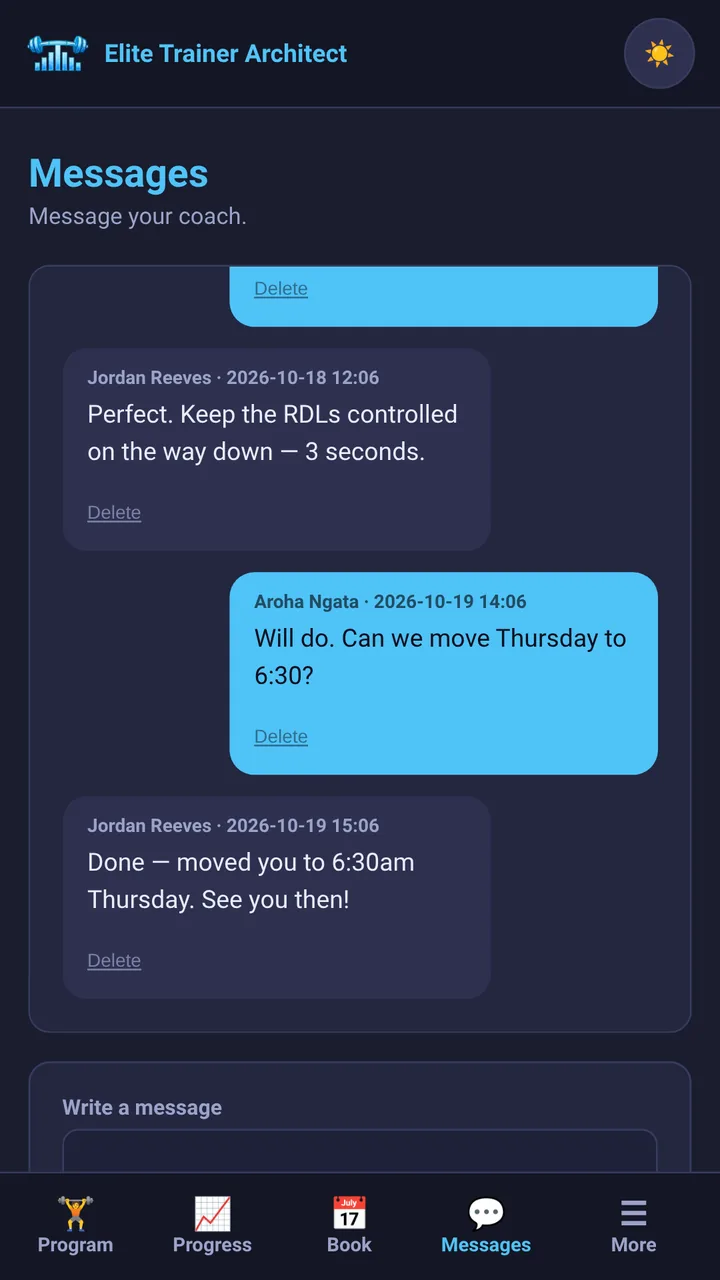
A direct line to your admin, in the app

Real in-app messaging straight to your admin for support — not a ticket queue, not a generic contact form. Alongside Team Chat, one shared space for every trainer on the platform.

🔔

Nothing sits unread

New leads, client messages, and form submissions all land in one notification bell — so nothing quietly waits in an inbox you forgot to check.

📈

Measurements & progress photos, tracked over time

Clients log their own weight, girths, and progress photos on their own Progress page — visible to you, without you having to chase it up.

📅

Let clients book their own sessions — or don't

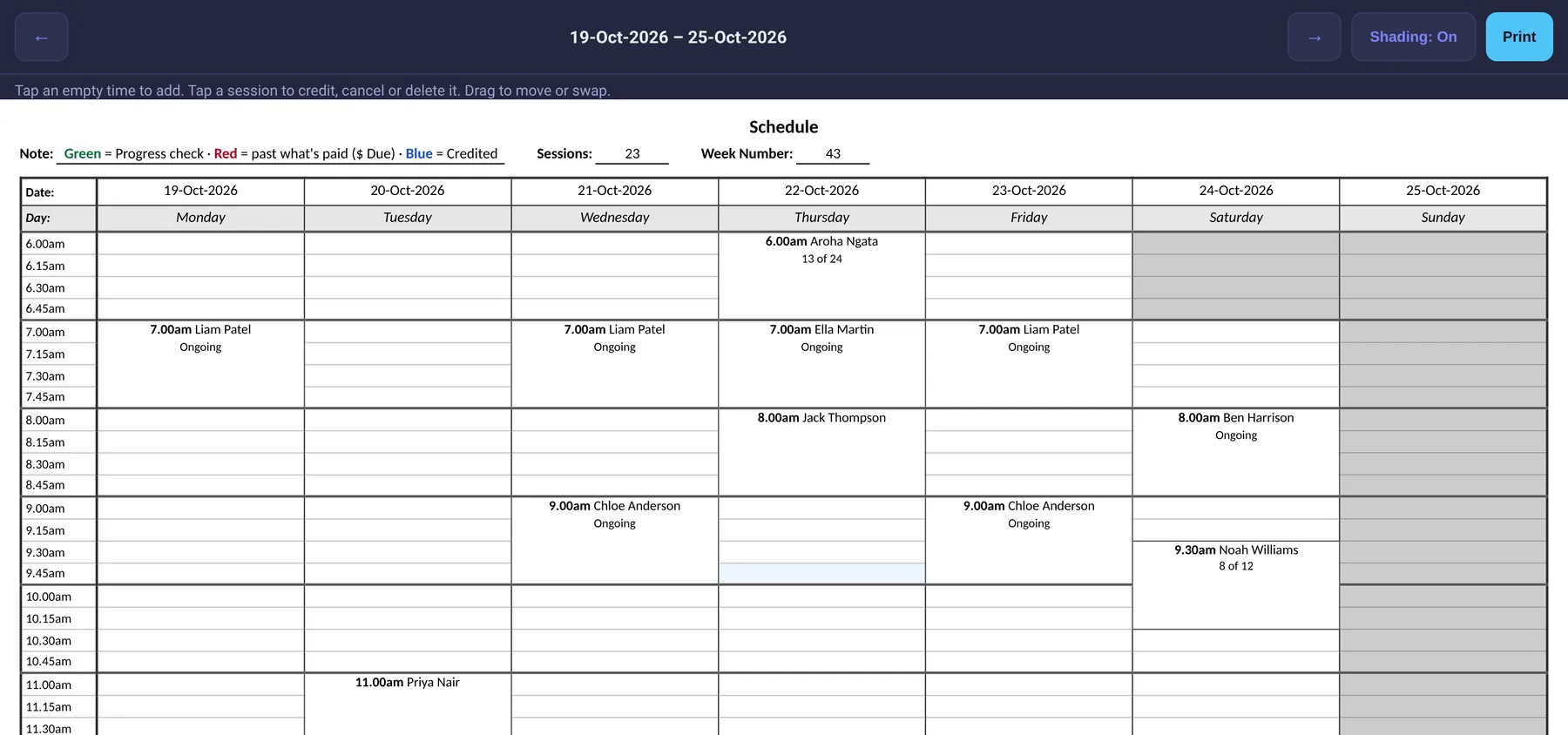
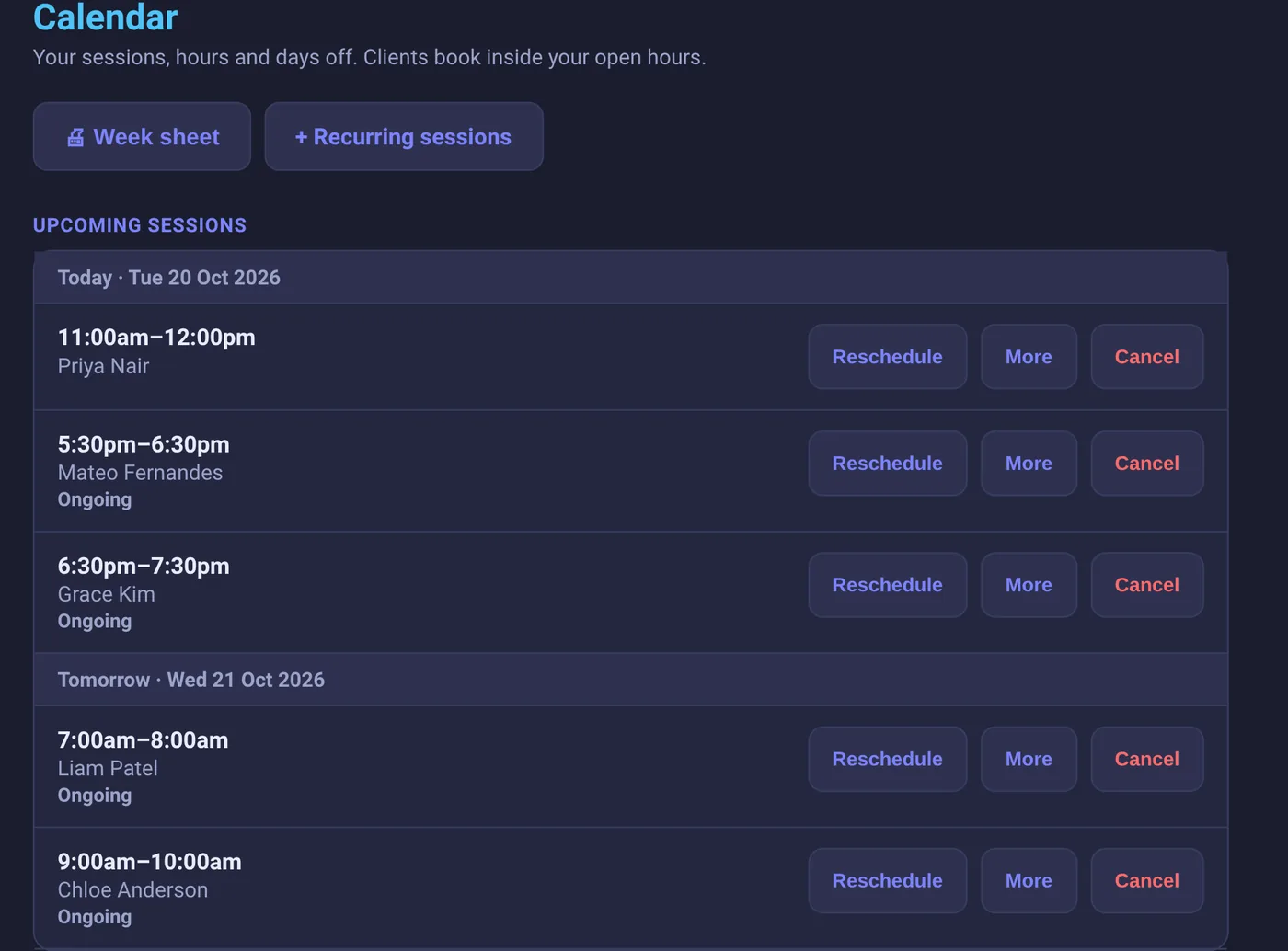
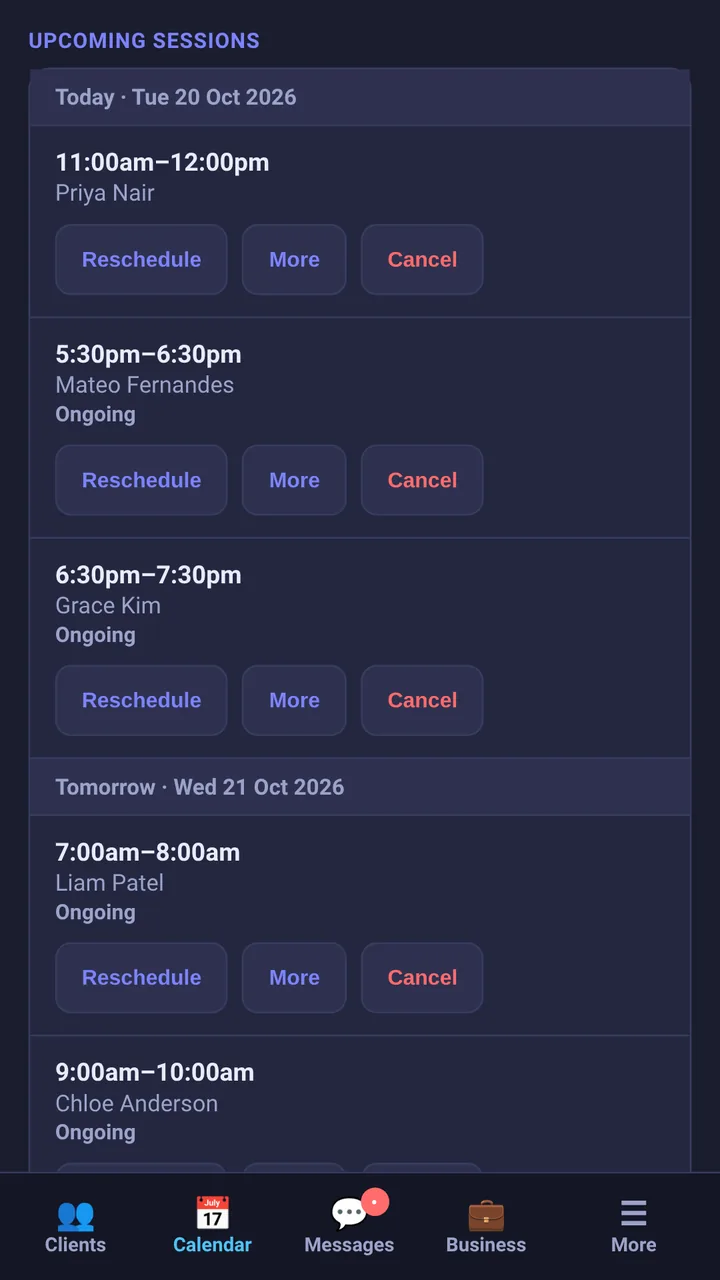
Set your weekly availability once, then switch self-booking on per client or all at once. Off by default, so nobody can book into your calendar until you say so — and existing sessions stay theirs to view and cancel either way.

📢

A public booking page that turns leads into sessions

A shareable link and QR code — drop it in your Instagram bio, a flyer, a "link in bio" page, wherever people already find you. Anyone, not just existing clients, sees your real open availability as a preview and gets in touch to lock in a session, so a curious stranger becomes an actual booking instead of a DM you never got back to. Off by default, and every self-booked slot can auto-confirm or wait on your approval first, your call.

🔒

Full control over their own data

Clients can download everything you've recorded for them or permanently delete their own account, right from their own Account page — your private coaching notes never included.

Get paid your way

Invoice properly, or take payments straight into your own Stripe account

📄

Real invoices, not a spreadsheet

Your logo, your GST/VAT rate if you're registered, line items, a public link your client can view or download as a PDF with no login needed. Mark paid, send a receipt, export the lot as a CSV for your accountant whenever you need to.

💳

Stripe payment links, per client, per charge

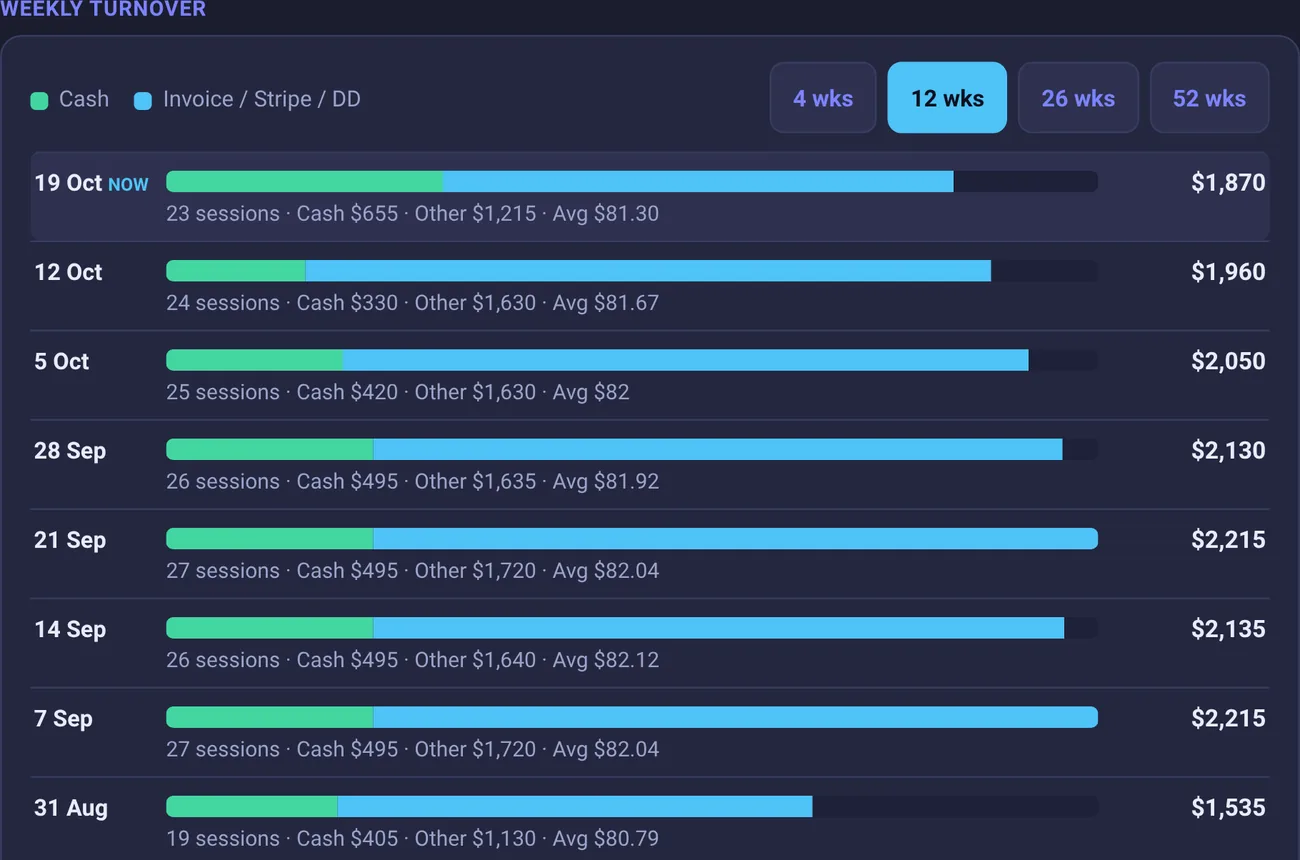
A new program, a retest, a repeat block — send a real Stripe payment link for whatever that specific charge is, and see exactly what's pending and what's paid at a glance.

🔐

Your own Stripe account, your own money

Connect your own Stripe account once, and client payments — a new client's first purchase, or any repeat charge — go straight into your account, not ours. Your own Dashboard, your own payouts, your own tax handling. We're never in the money's path.

Try it right now

Your trial account is 30 seconds away

No approval queue, no card, no sales call. Fill this in, and you're looking at your own dashboard with a full exercise library, every periodisation model, and two client slots to run a real program end-to-end — one to test on yourself, one for an actual client. If it saves you one evening, you'll know.

  • No card needed to start — you're in your own dashboard in 30 seconds
  • No countdown — most trial software gives you 14 days; this one just stays free until you outgrow two clients
  • Billed weekly if and when you upgrade, cancel any time after — no contract, no lock-in, no fixed term

Full features. 2 clients. Upgrade any time from your Account page — or don't, and it stays free.

Simple weekly pricing

TrialFree2 clients, every feature, no time limit
Starter$8.00/weekUp to 12 clients
Pro$16.00/weekUnlimited clients

Billed weekly, cancel any time — no contract, no lock-in. Change tiers or cancel from your Account page whenever your roster changes.

Spend your time coaching, not typing out spreadsheets

Already have an account? Log in below. New here? The free trial above takes 30 seconds.

Log In
Get in touch

Questions, pricing, or ready to get set up?

Send a few details and we'll get back to you directly.